
Employees need support for everyday IT and HR tasks, from resolving application access issues to updating personal information and requesting documents. However, these processes often run across different enterprise systems, making employee support slow and disconnected.
Technologies such as AI assistants, ITSM platforms, HRMS tools, incident automation, and RPA each solve a part of this challenge. The bigger question for enterprises is whether these technologies can go beyond answering questions and actually take action, complete workflows, and resolve employee requests.
Key Article Takeaways
AI Employee Support: Understanding the Technology Landscape
Employee support involves more than answering questions or creating service tickets. Employees need help with IT issues, HR requests, documents, application access, and several other workplace processes.
Different technologies support these needs in different ways.
- AI assistants: Help employees find information, answer questions, and get guidance.
- ITSM and service desks: Manage service requests, incidents, ticket routing, and tracking.
- HRMS and HR service tools: Manage employee records, HR requests, and workforce-related processes.
- Incident automation: Helps diagnose and remediate selected IT incidents.
- RPA: Automates repetitive tasks by interacting with applications and systems.
- AI-agent platforms: Combine conversations, decision-making, system access, and workflow execution.
These technologies are not interchangeable. Each has a different role in the employee support process. Enterprises should compare them based on what they can do, how they connect with existing systems, and whether they can complete employee requests.
AI Employee Support Capability Comparison
The following table compares the capabilities of different employee-support technologies. It focuses on their typical roles and the capabilities outlined for SupportFlo.
| Capability | SupportFlo | AI Assistants | ITSM / Service Desk | Incident Automation | RPA |
|---|---|---|---|---|---|
| Conversational employee support | ✓ | ✓ | ✓ / Partial | Partial | ✗ |
| Takes action in enterprise systems | ✓ | Partial | Partial | Partial | Partial |
| End-to-end request resolution | ✓ | Partial | ✓ / Partial | Partial | ✓ |
| IT incident diagnosis and remediation | ✓ | ✗ | Partial | ✓ | Partial |
| HR back-office automation | ✓ | ✗ | ✗ | ✗ | ✓ |
| Document understanding and generation | ✓ | Partial | ✗ | ✗ | Partial |
| No-API and legacy system access | ✓ | ✗ | ✗ | Partial | ✓ |
| WhatsApp and voice | ✓ | Partial | Partial | ✗ | ✗ |
| IT and HR support | ✓ | Partial | Partial | Partial | ✓ |
| Existing ITSM as system of record | ✓ | ✗ | ✓ | Partial | Partial |
| Plain-English workflow creation | ✓ | ✓ | ✓ | ✓ | Partial |
| Prebuilt workflows | ✓ | ✗ | ✗ | Partial | ✗ |
Note: This is a high-level capability comparison. Actual capabilities vary by product, configuration, integrations, and implementation.
1. From Answering Questions to Taking Action
One of the biggest differences between traditional employee support and AI-agent-based support is what happens after an employee asks a question. AI assistants can provide information, answer common questions, and guide employees through processes. However, employees may still need to complete the required action themselves.
AI agents can take this process further by understanding the request, accessing connected systems, executing workflows, and confirming the outcome.
Consider an HR example.
An employee asks: “How do I update my bank details?”
With a traditional AI assistant:
- The assistant explains the process.
- The employee follows the instructions.
- The employee completes the update through the HR system.
With an AI-agent approach:
- The agent understands the employee’s request.
- It connects with the relevant HRMS or workflow.
- It initiates the required process, subject to access controls and approvals.
- It confirms the status or completion to the employee.
The same approach applies to IT support.
An employee reports: “I can’t access an application.”
An AI assistant may provide troubleshooting steps. An automation-enabled support platform can go further by checking the issue, initiating the appropriate workflow, taking an authorized action, validating the result, and confirming resolution.
The difference is simple: one provides guidance, while the other can help complete the work.
2. End-to-End Resolution: Assistance vs Execution
Employee support often involves multiple steps. A request may require understanding the issue, checking information, accessing an enterprise application, executing an action, and confirming the result.
Different technologies handle these steps differently.
- AI assistants
AI assistants primarily focus on conversations. They answer questions, provide information, and guide employees. Depending on their integrations, they may also initiate selected actions. - ITSM and service desks
ITSM platforms help organizations manage service requests and incidents. They provide ticket creation, routing, tracking, and workflow management. Some also support automation for selected processes. - Incident automation
Incident automation focuses mainly on IT incidents. It can help identify issues, trigger remediation actions, and reduce manual intervention in routine IT operations. - RPA
RPA executes predefined, repetitive tasks across applications. It is useful when the same process needs to be performed repeatedly, especially in systems without suitable APIs. - AI-agent platforms
AI agents can bring these capabilities together. They understand employee requests, make decisions based on available context, interact with enterprise systems, execute workflows, and validate outcomes.
For example:
| IT Support | HR Support |
|---|---|
| Understand an application issue | Understand an employee request |
| Diagnose the problem | Check employee information |
| Trigger an authorized action | Initiate the HRMS workflow |
| Validate the result | Process required documents |
| Confirm resolution | Confirm completion |
This approach helps organizations move towards end-to-end employee support rather than managing each step separately.
3. Can Employee Support Work Across Existing IT and HR Systems?
Most enterprises already have established ITSM, HRMS, and business applications. Replacing these systems just to introduce AI-powered employee support may not be practical. A better approach is to connect an employee-support layer with the existing technology environment.
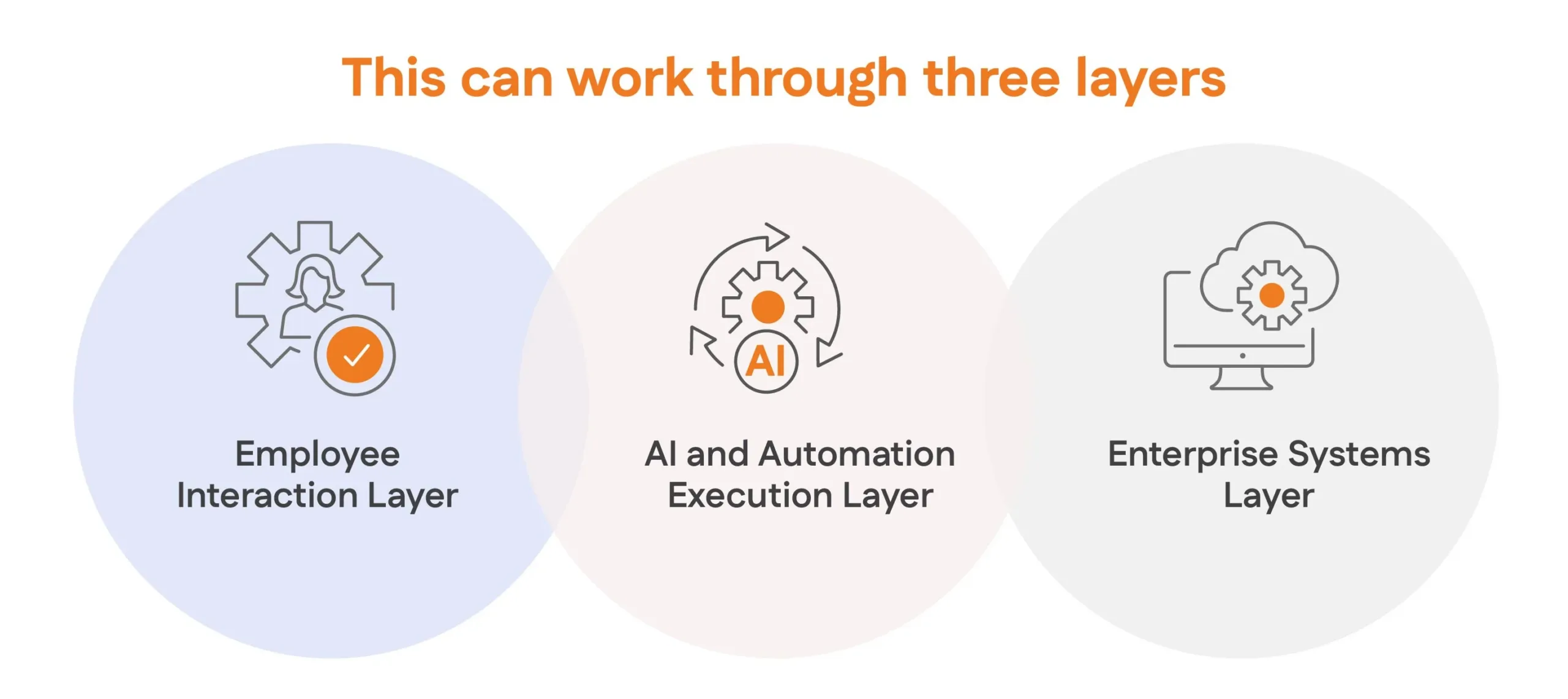
- Employee Interaction Layer
Employees raise requests through conversational interfaces such as chat, WhatsApp, or voice. - AI and Automation Execution Layer
AI agents understand requests, determine the next steps, and coordinate the required workflows and actions. - Enterprise Systems Layer
The platform interacts with existing ITSM, HRMS, and other enterprise applications to complete the required tasks.
For example, an employee may raise an IT request through a conversational interface. The AI agent understands the request, triggers the appropriate workflow, and updates the existing ITSM platform. Similarly, an HR request can be processed through connected HRMS workflows without replacing the organization’s existing HR system.
This approach allows businesses to introduce employee support automation while retaining their current systems of record.
4. Can It Reach Legacy and No-API Systems?
Not every enterprise application has modern APIs or easy integration options. Many organizations still depend on legacy applications, internal portals, government websites, and document-based processes.
This creates a challenge for automation platforms that rely only on API-based integrations. RPA helps address this gap by interacting with applications through their user interfaces and automating predefined tasks.
When combined with AI agents and Document AI, it can support a wider range of employee workflows.
For example:
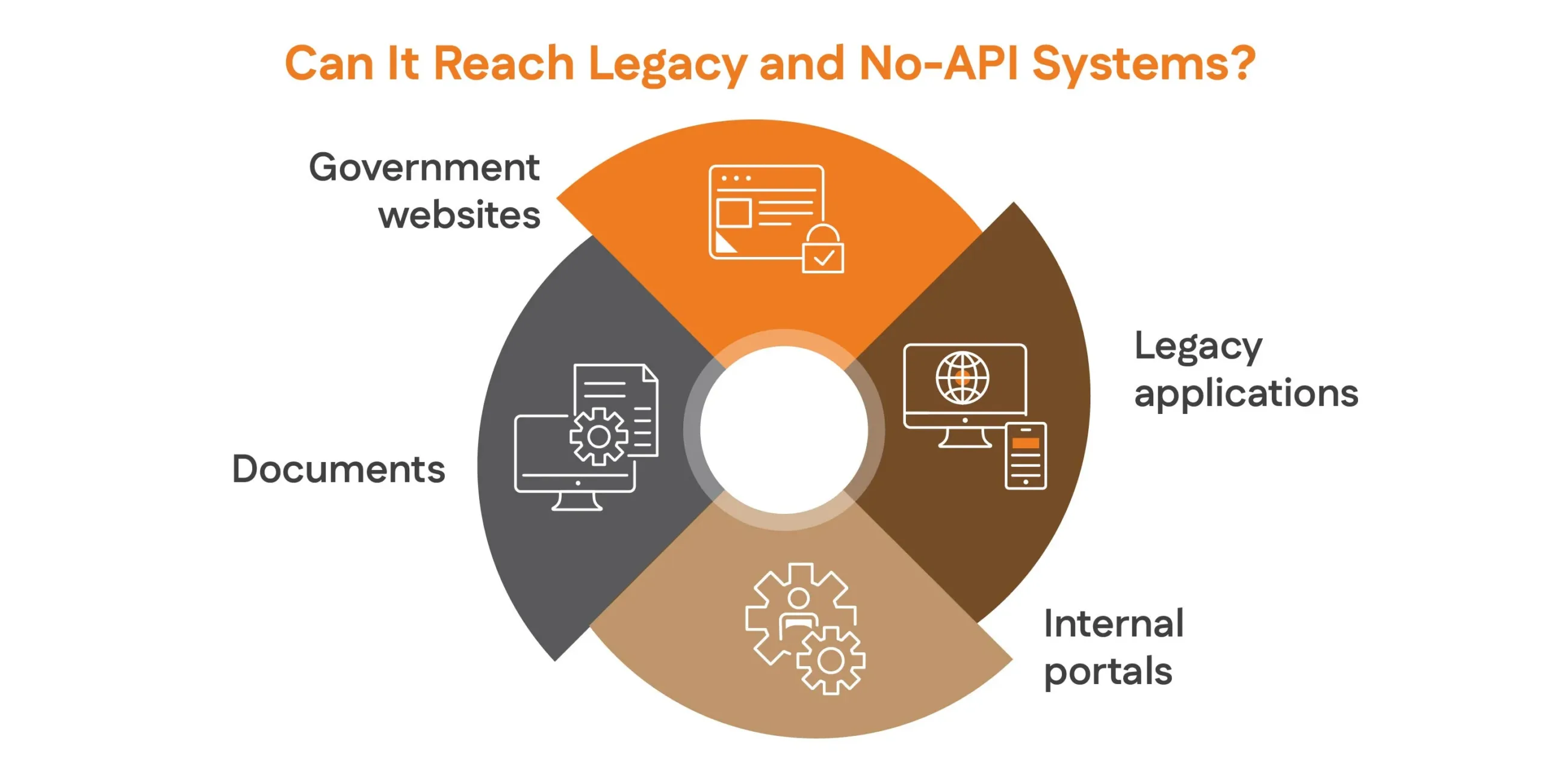
AI agents can understand the employee’s request and coordinate the workflow, while RPA performs the required system interactions. Document AI can help extract and process information from documents.
5. Beyond Chat and Tickets: Documents, Channels and Workflow Creation
An effective AI employee support platform should do more than provide conversational support. It should help employees complete different types of workplace tasks through connected workflows. Three capabilities are especially important.
Document Understanding and Generation
HR and IT processes often involve documents such as employee forms, letters, applications, and supporting records.
Document AI can help:
- Read and extract information from employee documents.
- Process information from different document formats.
- Generate documents as part of HR workflows.
Connect document processing with enterprise automation.
This reduces the need for employees and support teams to handle every document manually.
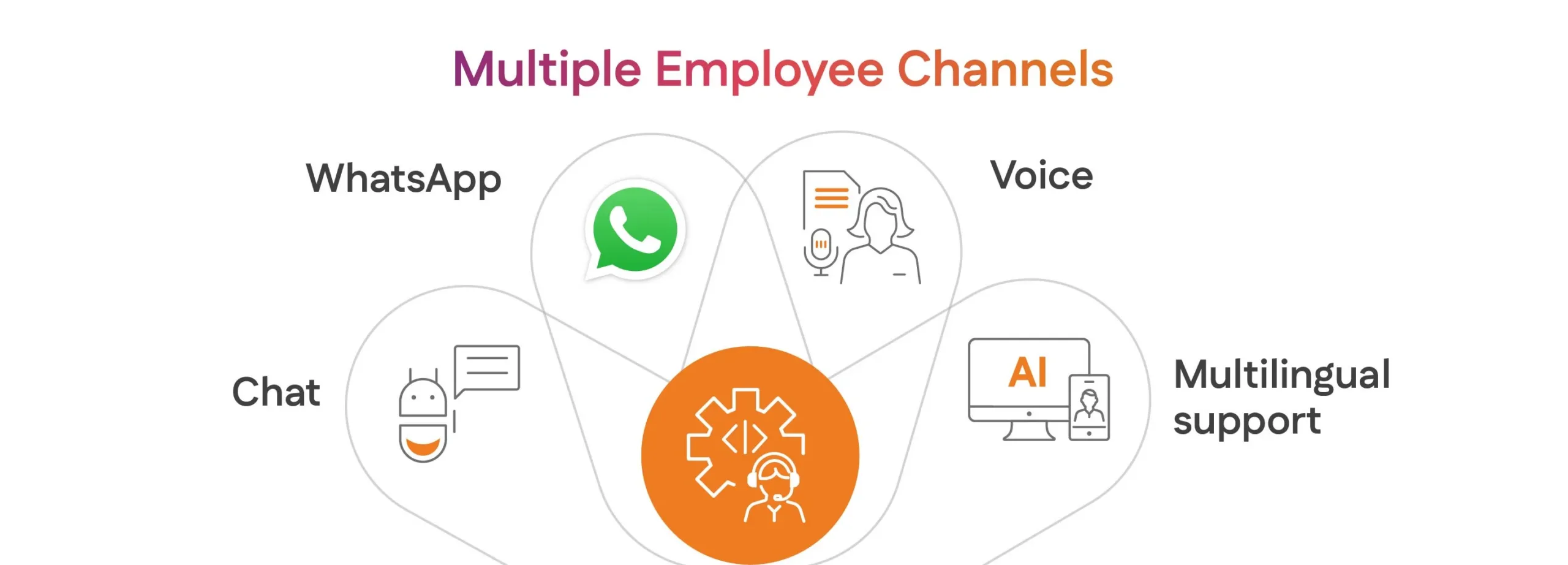
Multiple Employee Channels
Employees may prefer different ways to raise requests. A platform can make support more accessible through:
Workflow and Agent Creation
Enterprises also need flexibility when building and updating automation workflows.
Look for capabilities such as:
- Creating agents and workflows using plain English.
- Using prebuilt workflows for common employee processes.
- Accessing a workflow marketplace.
- Customizing workflows to meet business requirements.
These capabilities can help organizations introduce new automation use cases without building every workflow from scratch.
6. Can One Platform Automate Both IT and HR?
IT and HR teams handle different types of employee requests, but employees often experience them as part of the same workplace support journey. A unified employee support platform can connect these functions through a common interaction and automation layer.
| Employee Support Area | Relevant Platform Capability |
|---|---|
| HR questions | AI conversational support |
| HRMS actions | AI-agent execution |
| HR back-office processes | Workflow automation |
| HR documents | Document AI |
| IT service requests | End-to-end request resolution |
| IT incidents | Diagnosis and remediation |
| Existing ITSM | Integration with system of record |
| Legacy and no-API systems | RPA and automation |
| Employee channels | Chat, WhatsApp, and voice |
| Workflow creation | Agents and prebuilt workflows |
For HR, this could include employee information requests, document processing, and HRMS workflows.
For IT, it could include service requests, application access, incident diagnosis, and remediation.
The advantage is a more connected employee experience. Instead of navigating multiple disconnected support channels, employees can raise requests through a common interface while the platform coordinates the required actions across enterprise systems.
7. Where SupportFlo Fits in the Employee Support Technology Landscape
SupportFlo from AutomationEdge is an AI-powered employee support solution designed to move beyond traditional chat-based support and ticket handling.
It brings together AI agents, enterprise automation, and cross-system orchestration to connect employee requests with the applications, information, and workflows needed to complete the work.
Its capabilities are supported by 10 enterprise automation technologies:
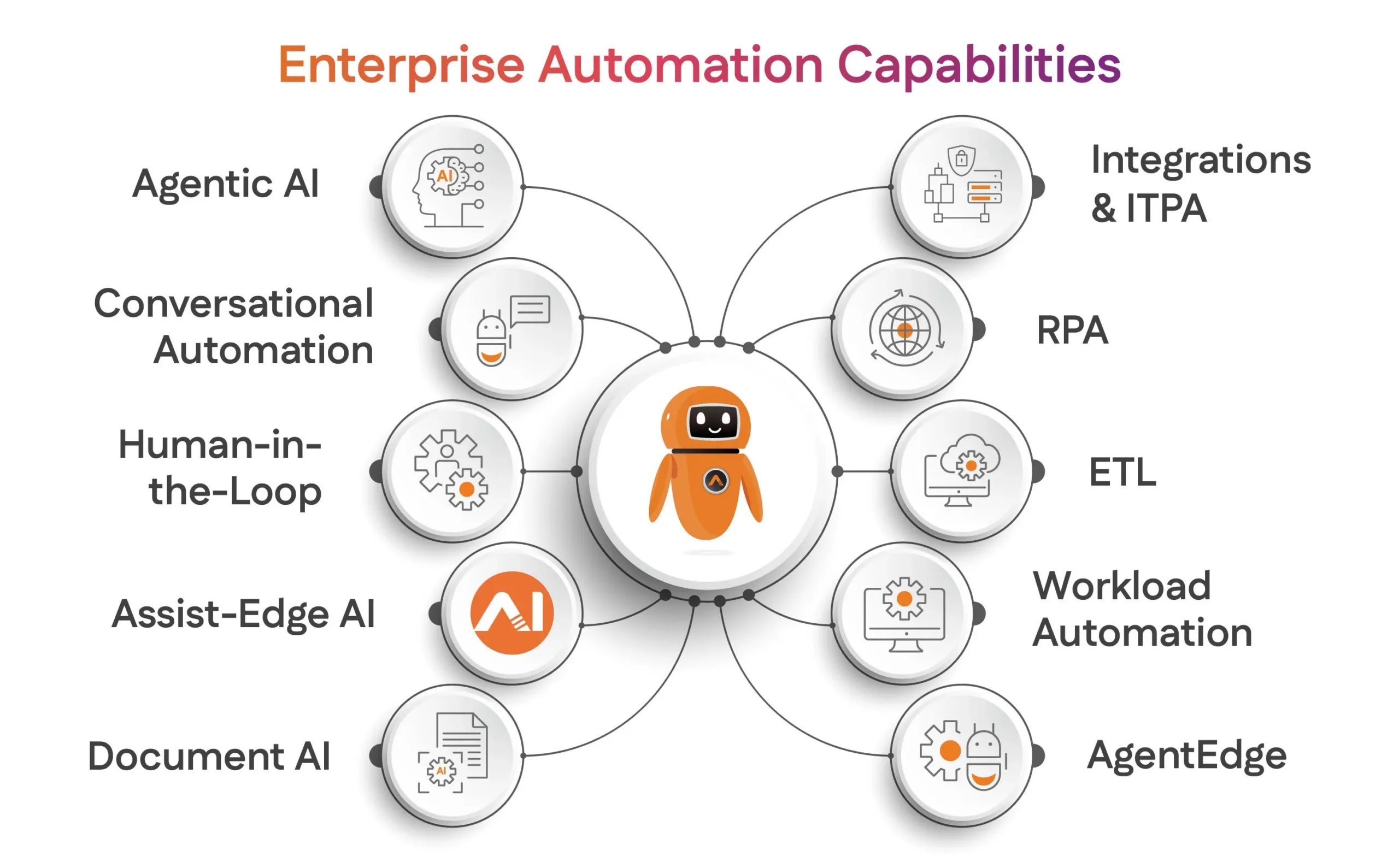
-
Agentic AI
Helps understand employee requests, assess context, determine the next steps, and coordinate actions across IT and HR workflows.
-
Conversational Automation
Allows employees to raise questions and requests through conversational channels and connects those interactions to the workflows needed for resolution.
-
Human-in-the-Loop
Routes approvals, exceptions, and decisions requiring human judgment to the right people while allowing automation to handle repeatable tasks.
-
Assist-Edge AI
Uses natural-language instructions to help create and customize automation workflows, reducing the effort involved in building employee support processes.
-
Document AI / DocEdge
Reads, extracts, and processes information from documents such as forms, applications, and attachments as part of employee workflows.
-
Integrations & ITPA
Connects SupportFlo with existing ITSM, HRMS, identity systems, and other enterprise applications, helping organizations automate processes without replacing their core systems.
-
RPA
Automates tasks across legacy applications, desktop systems, and web portals, including environments where APIs are unavailable or limited.
-
ETL
Helps collect, validate, transform, and reconcile data so employee support workflows can use accurate information to trigger the next action.
-
Workload Automation
Supports scheduled and recurring background processes that are part of enterprise operations and employee service workflows.
-
AgentEdge
Provides reusable AI agents and workflows that organizations can adapt and extend across different employee support processes.
Together, these capabilities position SupportFlo as an execution layer for employee support. Rather than limiting the experience to answering questions or managing tickets, it connects conversations, decisions, documents, data, enterprise systems, and automation to help move employee requests towards resolution.
Conclusion: The Key Difference Is What Happens After the Employee Asks
AI assistants, ITSM, incident automation, and RPA each address different aspects of employee support. While AI assistants provide guidance, ITSM manages service workflows, incident automation handles IT remediation, and RPA automates repetitive tasks.
AI-agent platforms bring these capabilities together to understand requests, interact with enterprise systems, and execute workflows. With SupportFlo, organizations can connect IT and HR support through AI agents, enterprise automation, and cross-system orchestration moving beyond conversations to action and resolution.